


Generating PDF in Jupyter#
Jupyter Notebook is a popular tool for interactive computing, data analysis, and scientific research.
Generating reports directly from Jupyter can be done directly to PDF if LaTeX is installed. Otherwise, we can use the route of exporting HTML. Moreover, nbconvert --execute can be used to re-run the entire notebook for that clean and fresh look.
One of the most critical aspects of using Jupyter is the ability to generate reports directly from the Notebook, allowing users to present their findings and results in a clear and organized way. Generating PDFs directly from Jupyter can be done if LaTeX is installed, but exporting to HTML is also an option. Additionally, the nbconvert --execute command can ensure that the Notebook is fully up-to-date and presentable for generating the final report.
In this notebook, we will explore the process of generating PDFs directly from Jupyter and highlight the benefits of this feature.
How To#
import pandas as pd
import seaborn as sns
df = pd.read_csv("data/housing.csv")
df.head()
| longitude | latitude | housing_median_age | total_rooms | total_bedrooms | population | households | median_income | median_house_value | ocean_proximity | |
|---|---|---|---|---|---|---|---|---|---|---|
| 0 | -122.23 | 37.88 | 41.0 | 880.0 | 129.0 | 322.0 | 126.0 | 8.3252 | 452600.0 | NEAR BAY |
| 1 | -122.22 | 37.86 | 21.0 | 7099.0 | 1106.0 | 2401.0 | 1138.0 | 8.3014 | 358500.0 | NEAR BAY |
| 2 | -122.24 | 37.85 | 52.0 | 1467.0 | 190.0 | 496.0 | 177.0 | 7.2574 | 352100.0 | NEAR BAY |
| 3 | -122.25 | 37.85 | 52.0 | 1274.0 | 235.0 | 558.0 | 219.0 | 5.6431 | 341300.0 | NEAR BAY |
| 4 | -122.25 | 37.85 | 52.0 | 1627.0 | 280.0 | 565.0 | 259.0 | 3.8462 | 342200.0 | NEAR BAY |
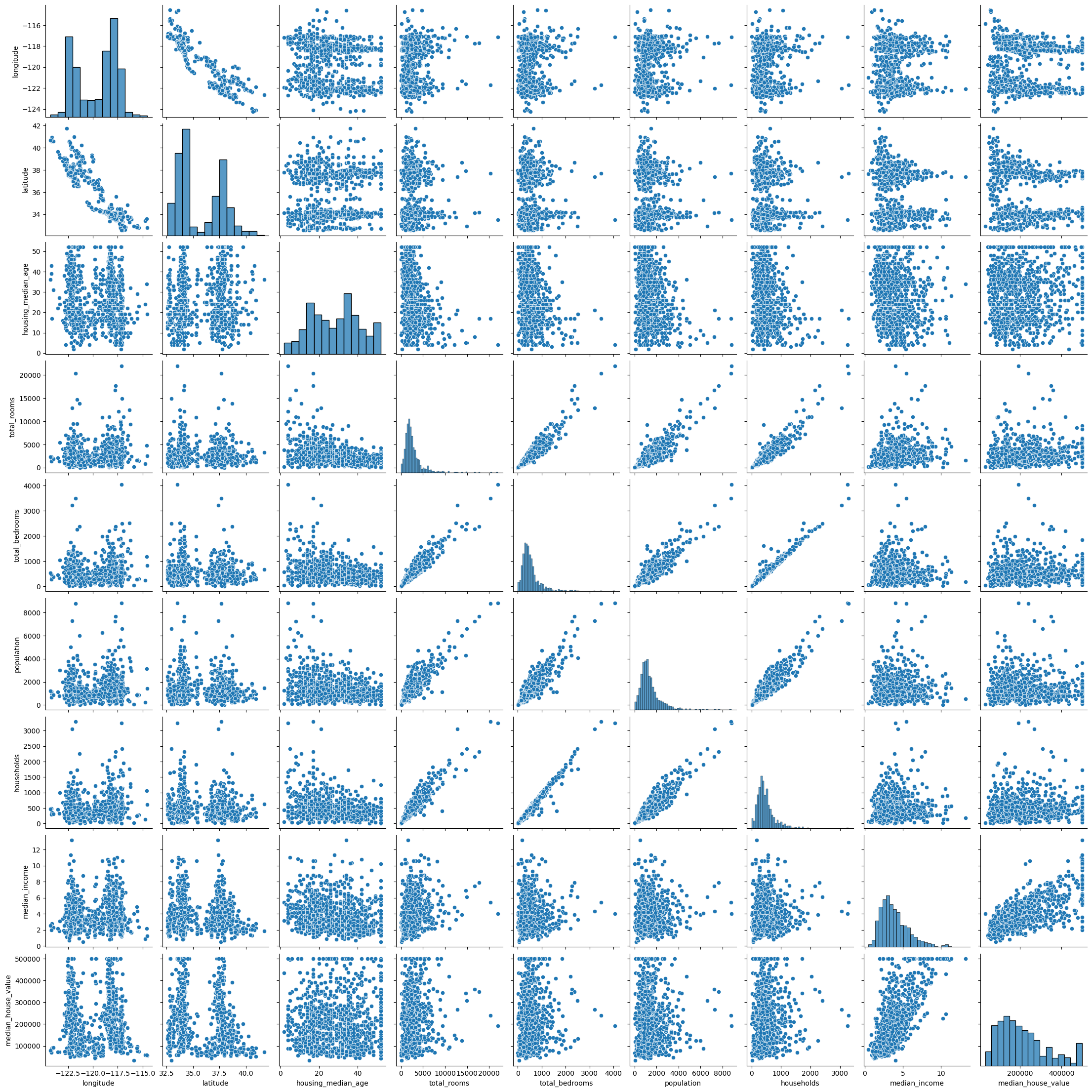
sns.pairplot(df.sample(1000))
<seaborn.axisgrid.PairGrid at 0x7f77efdfabe0>
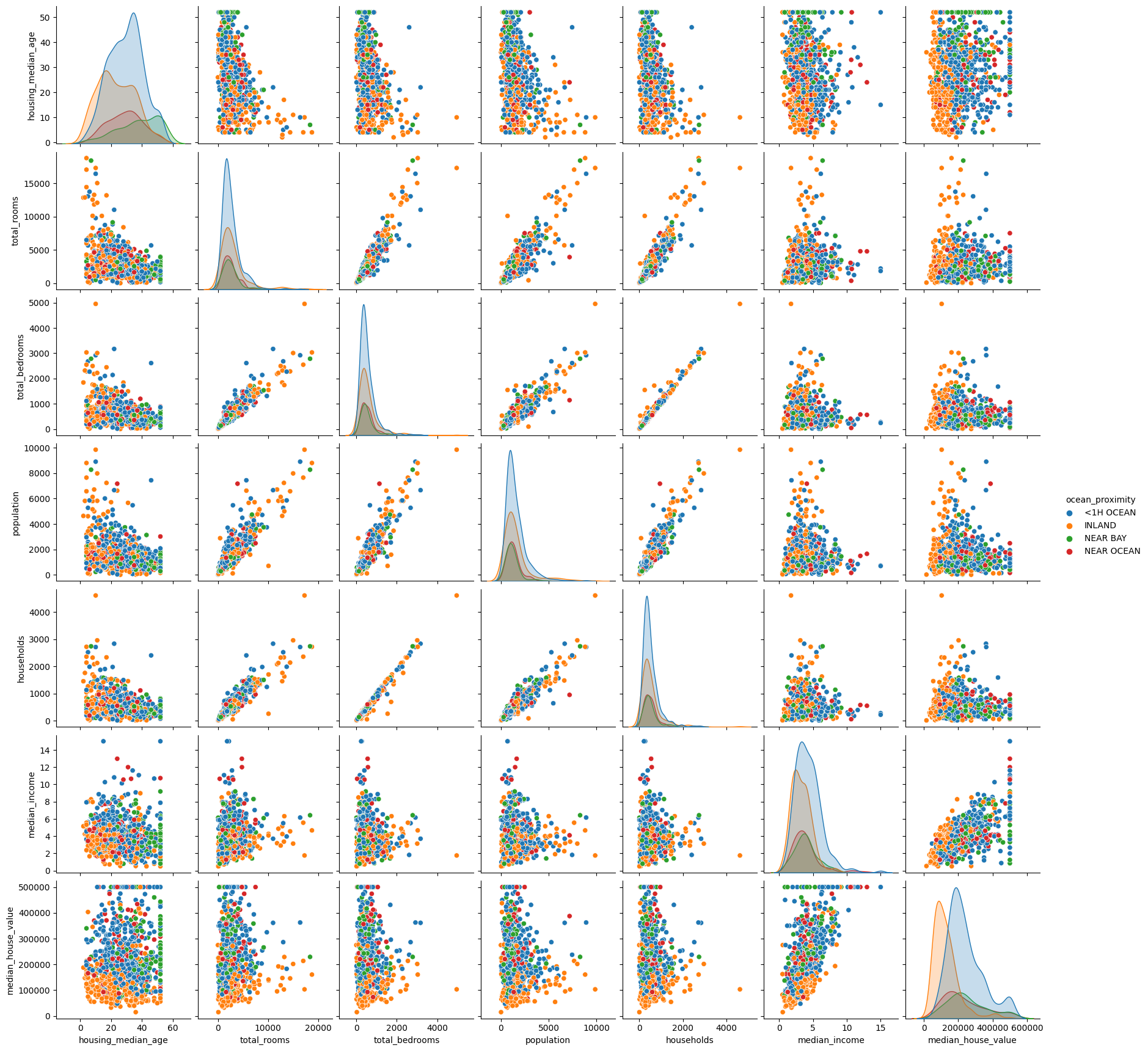
sns.pairplot(df.sample(1000).drop(["latitude",
                                   "longitude",], axis=1),
             hue="ocean_proximity")
<seaborn.axisgrid.PairGrid at 0x7f77efd77df0>
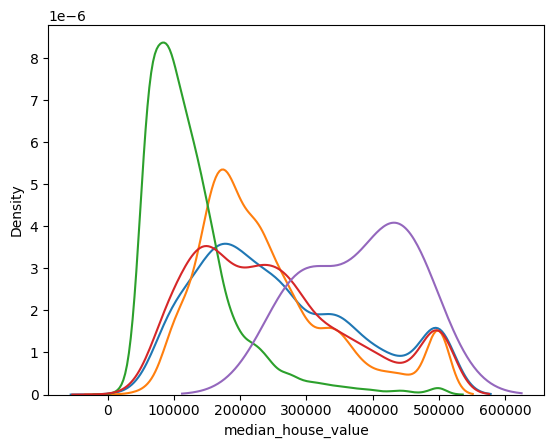
for cls in df.ocean_proximity.unique():
    sns.kdeplot(df[df.ocean_proximity==cls].median_house_value, label=cls)
sns.jointplot("households", "total_bedrooms", df)
---------------------------------------------------------------------------
TypeError                                 Traceback (most recent call last)
Cell In[6], line 1
----> 1 sns.jointplot("households", "total_bedrooms", df)

TypeError: jointplot() takes from 0 to 1 positional arguments but 3 were given
sns.jointplot("population", "total_bedrooms", df, kind="reg")
---------------------------------------------------------------------------
TypeError                                 Traceback (most recent call last)
Cell In[7], line 1
----> 1 sns.jointplot("population", "total_bedrooms", df, kind="reg")

TypeError: jointplot() takes from 0 to 1 positional arguments but 3 positional arguments (and 1 keyword-only argument) were given
sns.jointplot("households", "total_bedrooms", df, kind="reg")
---------------------------------------------------------------------------
TypeError                                 Traceback (most recent call last)
Cell In[8], line 1
----> 1 sns.jointplot("households", "total_bedrooms", df, kind="reg")

TypeError: jointplot() takes from 0 to 1 positional arguments but 3 positional arguments (and 1 keyword-only argument) were given
sns.heatmap(df.corr(), square=True)
---------------------------------------------------------------------------
ValueError                                Traceback (most recent call last)
Cell In[9], line 1
----> 1 sns.heatmap(df.corr(), square=True)

File /opt/hostedtoolcache/Python/3.8.18/x64/lib/python3.8/site-packages/pandas/core/frame.py:10054, in DataFrame.corr(self, method, min_periods, numeric_only)
  10052 cols = data.columns
  10053 idx = cols.copy()
> 10054 mat = data.to_numpy(dtype=float, na_value=np.nan, copy=False)
  10056 if method == "pearson":
  10057     correl = libalgos.nancorr(mat, minp=min_periods)

File /opt/hostedtoolcache/Python/3.8.18/x64/lib/python3.8/site-packages/pandas/core/frame.py:1838, in DataFrame.to_numpy(self, dtype, copy, na_value)
   1836 if dtype is not None:
   1837     dtype = np.dtype(dtype)
-> 1838 result = self._mgr.as_array(dtype=dtype, copy=copy, na_value=na_value)
   1839 if result.dtype is not dtype:
   1840     result = np.array(result, dtype=dtype, copy=False)

File /opt/hostedtoolcache/Python/3.8.18/x64/lib/python3.8/site-packages/pandas/core/internals/managers.py:1732, in BlockManager.as_array(self, dtype, copy, na_value)
   1730         arr.flags.writeable = False
   1731 else:
-> 1732     arr = self._interleave(dtype=dtype, na_value=na_value)
   1733     # The underlying data was copied within _interleave, so no need
   1734     # to further copy if copy=True or setting na_value
   1736 if na_value is not lib.no_default:

File /opt/hostedtoolcache/Python/3.8.18/x64/lib/python3.8/site-packages/pandas/core/internals/managers.py:1794, in BlockManager._interleave(self, dtype, na_value)
   1792     else:
   1793         arr = blk.get_values(dtype)
-> 1794     result[rl.indexer] = arr
   1795     itemmask[rl.indexer] = 1
   1797 if not itemmask.all():

ValueError: could not convert string to float: 'NEAR BAY'
sns.heatmap(df.corr().abs().round(1), square=True, annot=True)
---------------------------------------------------------------------------
ValueError                                Traceback (most recent call last)
Cell In[10], line 1
----> 1 sns.heatmap(df.corr().abs().round(1), square=True, annot=True)

File /opt/hostedtoolcache/Python/3.8.18/x64/lib/python3.8/site-packages/pandas/core/frame.py:10054, in DataFrame.corr(self, method, min_periods, numeric_only)
  10052 cols = data.columns
  10053 idx = cols.copy()
> 10054 mat = data.to_numpy(dtype=float, na_value=np.nan, copy=False)
  10056 if method == "pearson":
  10057     correl = libalgos.nancorr(mat, minp=min_periods)

File /opt/hostedtoolcache/Python/3.8.18/x64/lib/python3.8/site-packages/pandas/core/frame.py:1838, in DataFrame.to_numpy(self, dtype, copy, na_value)
   1836 if dtype is not None:
   1837     dtype = np.dtype(dtype)
-> 1838 result = self._mgr.as_array(dtype=dtype, copy=copy, na_value=na_value)
   1839 if result.dtype is not dtype:
   1840     result = np.array(result, dtype=dtype, copy=False)

File /opt/hostedtoolcache/Python/3.8.18/x64/lib/python3.8/site-packages/pandas/core/internals/managers.py:1732, in BlockManager.as_array(self, dtype, copy, na_value)
   1730         arr.flags.writeable = False
   1731 else:
-> 1732     arr = self._interleave(dtype=dtype, na_value=na_value)
   1733     # The underlying data was copied within _interleave, so no need
   1734     # to further copy if copy=True or setting na_value
   1736 if na_value is not lib.no_default:

File /opt/hostedtoolcache/Python/3.8.18/x64/lib/python3.8/site-packages/pandas/core/internals/managers.py:1794, in BlockManager._interleave(self, dtype, na_value)
   1792     else:
   1793         arr = blk.get_values(dtype)
-> 1794     result[rl.indexer] = arr
   1795     itemmask[rl.indexer] = 1
   1797 if not itemmask.all():

ValueError: could not convert string to float: 'NEAR BAY'
Exercise#
Explore the data further, maybe try a bar chart!